Know what's actually yours after every closing
Gross to split to cap to fees to your commission — then what to set aside for tax, what to leave in the business, and what's safe to pay yourself. One file, your numbers, no subscription.
$149 once. Hosted at your own private link. Rates and brackets kept current for you. The demo is a made-up agent's file — click anything, nothing is saved.
What it does
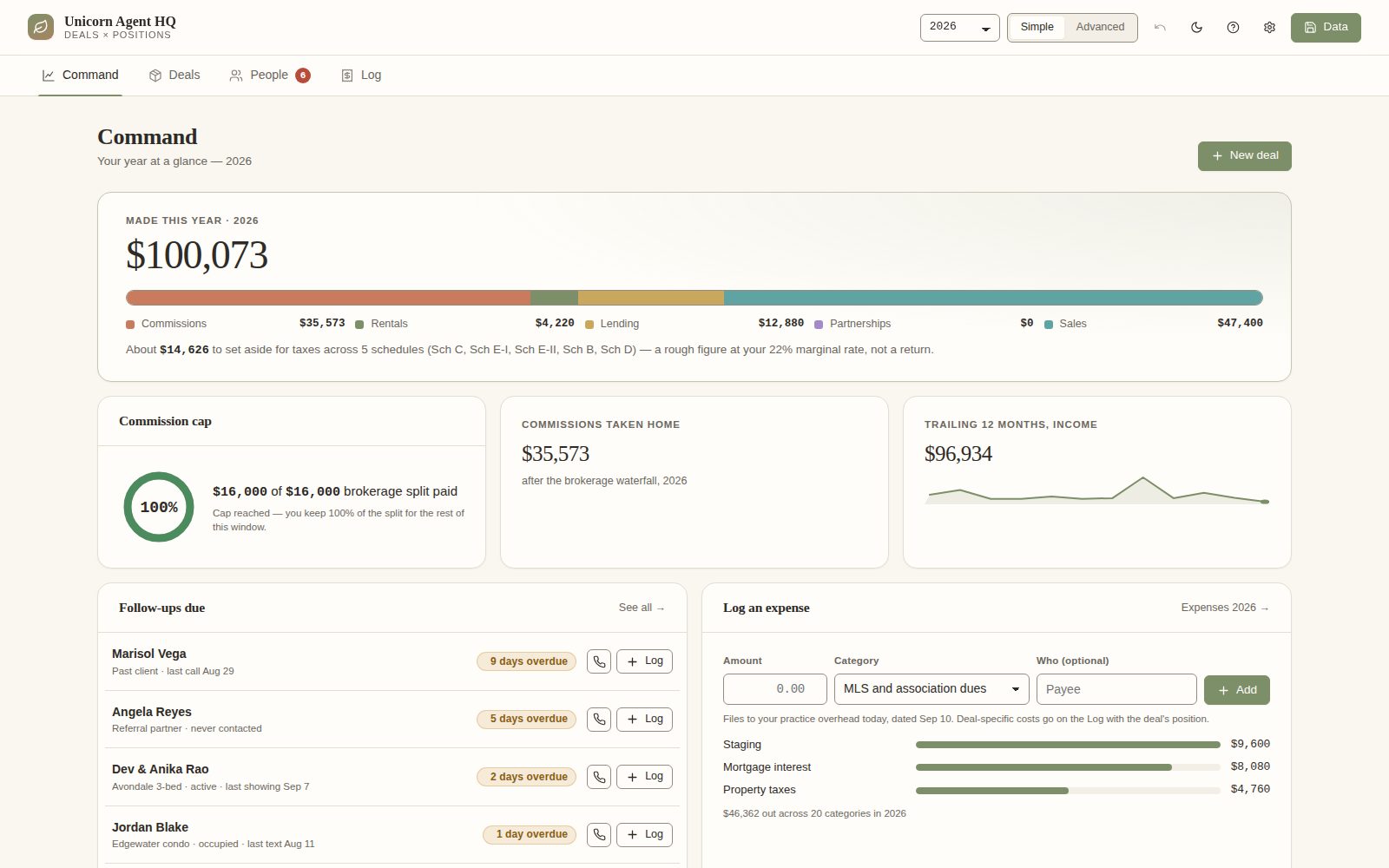
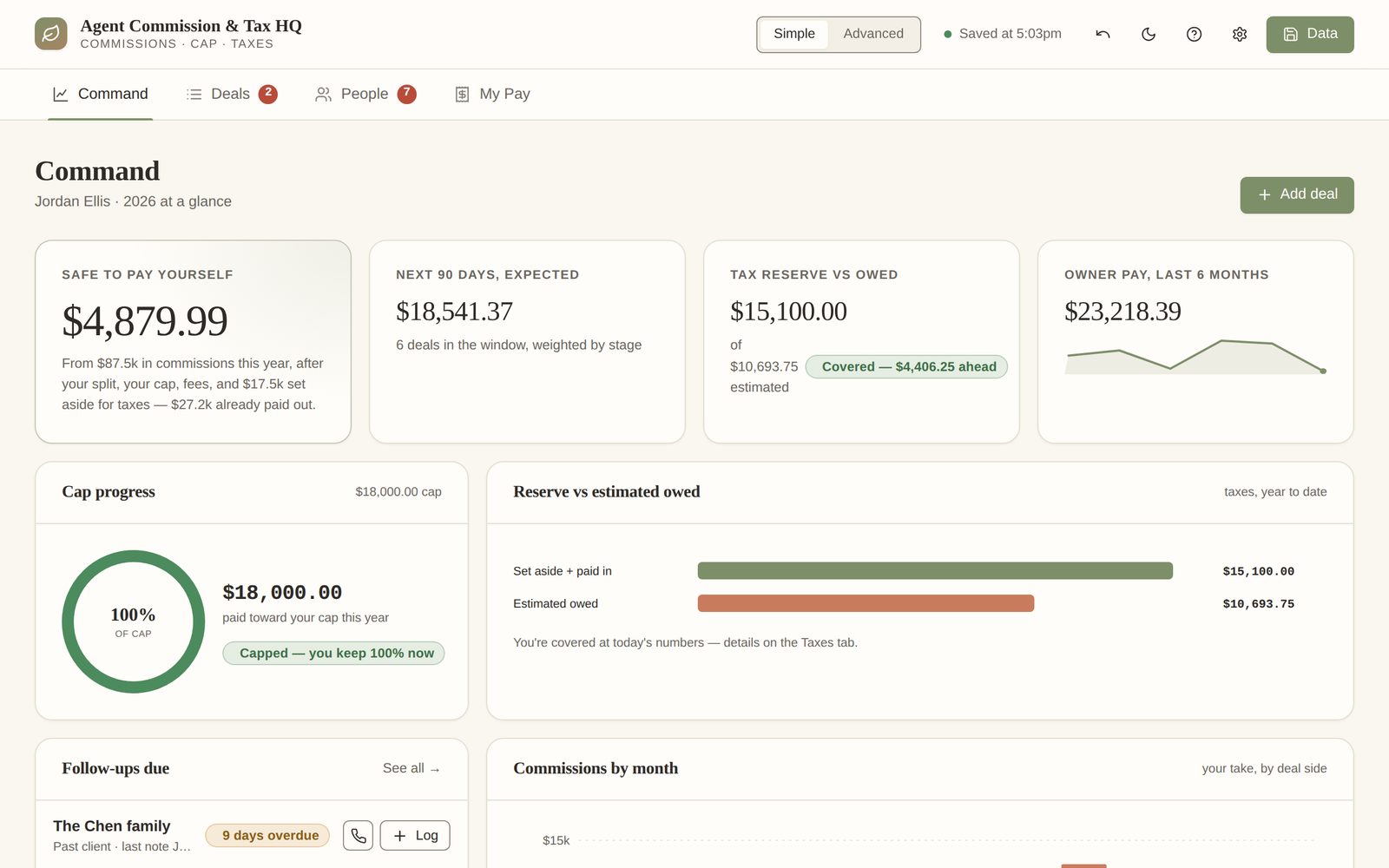
Four screens that answer the questions you actually have
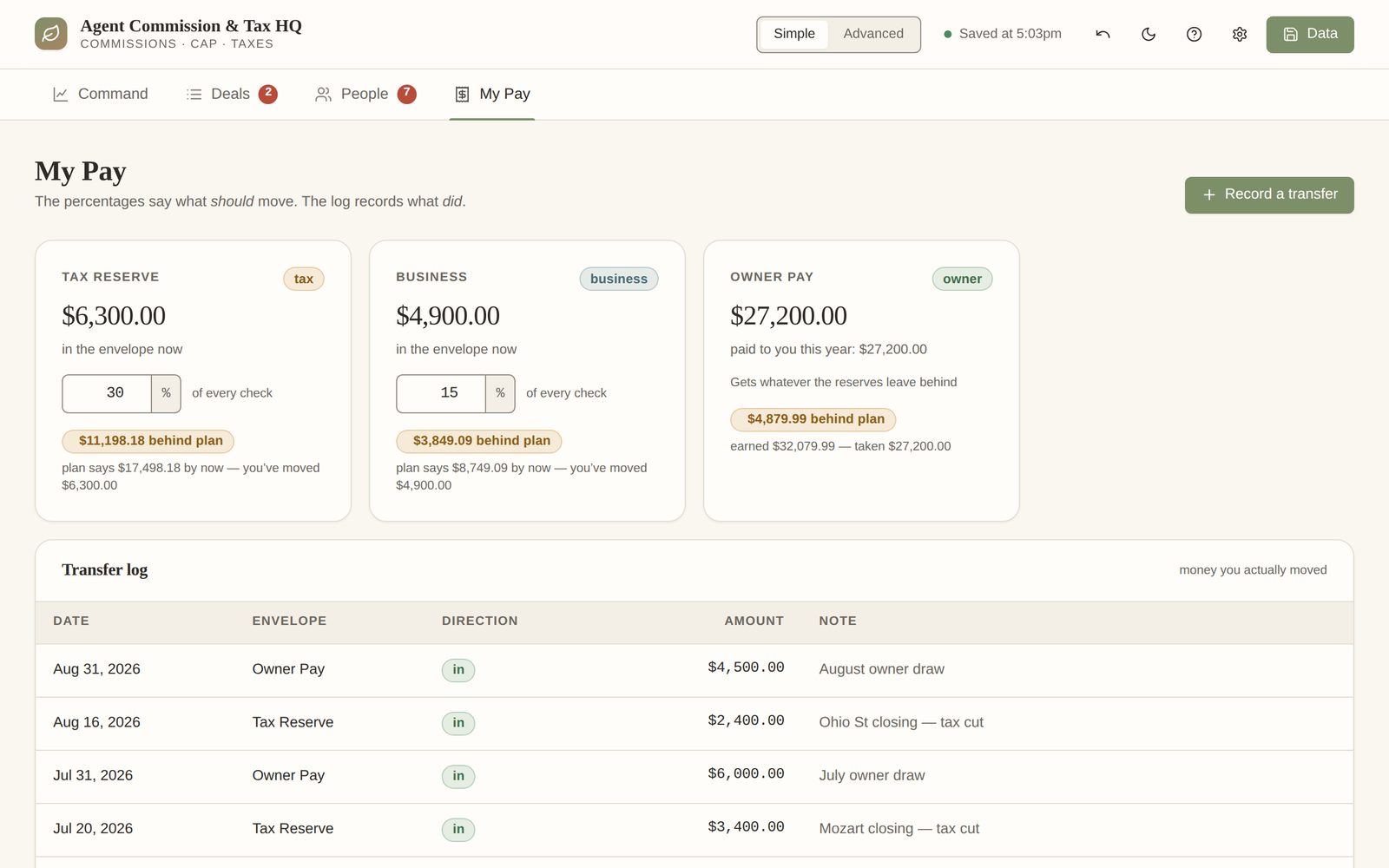
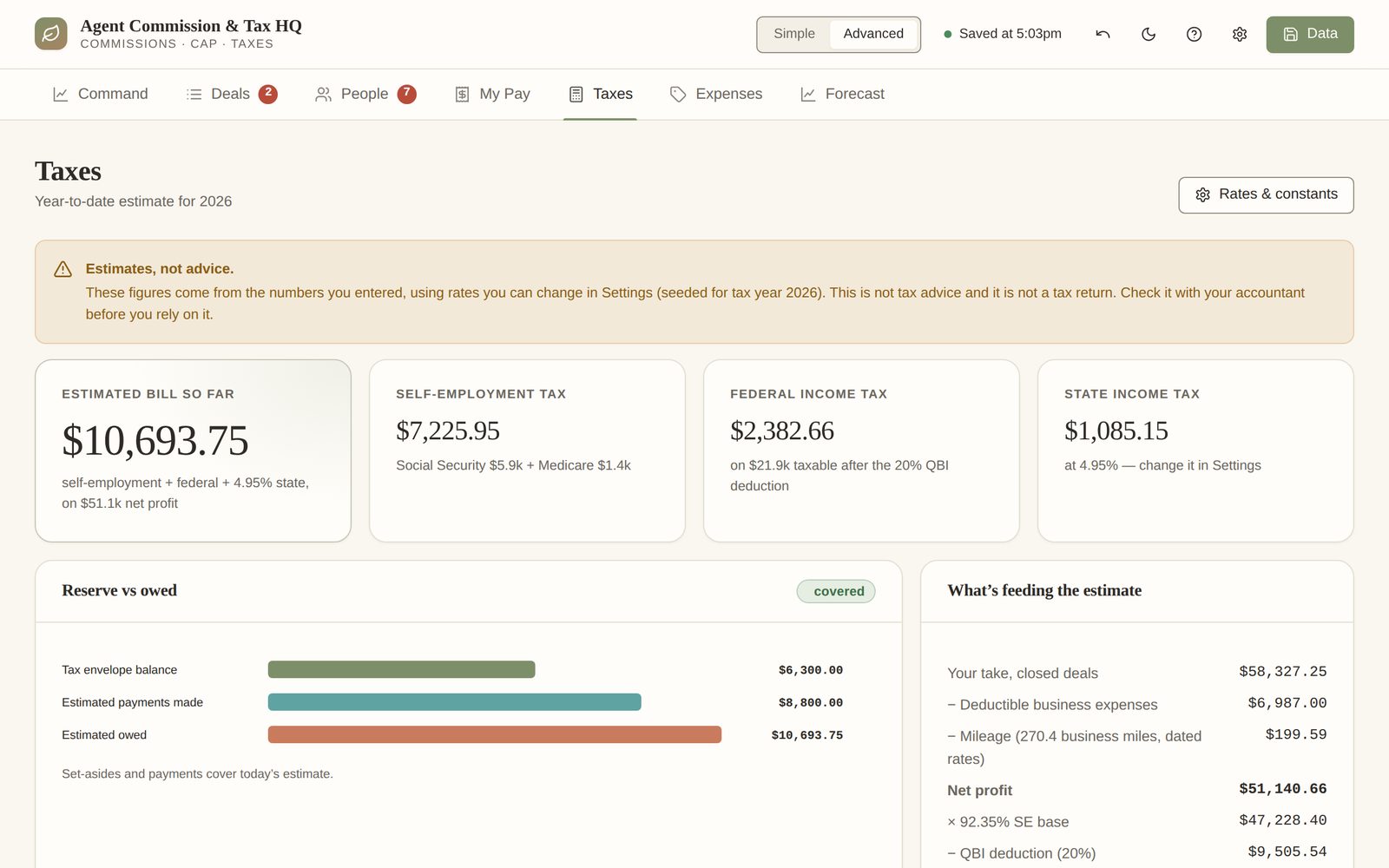
Shown with example data — a fictional agent, a real year's worth of deals.
Built for how agents get paid
Every brokerage model, every fee
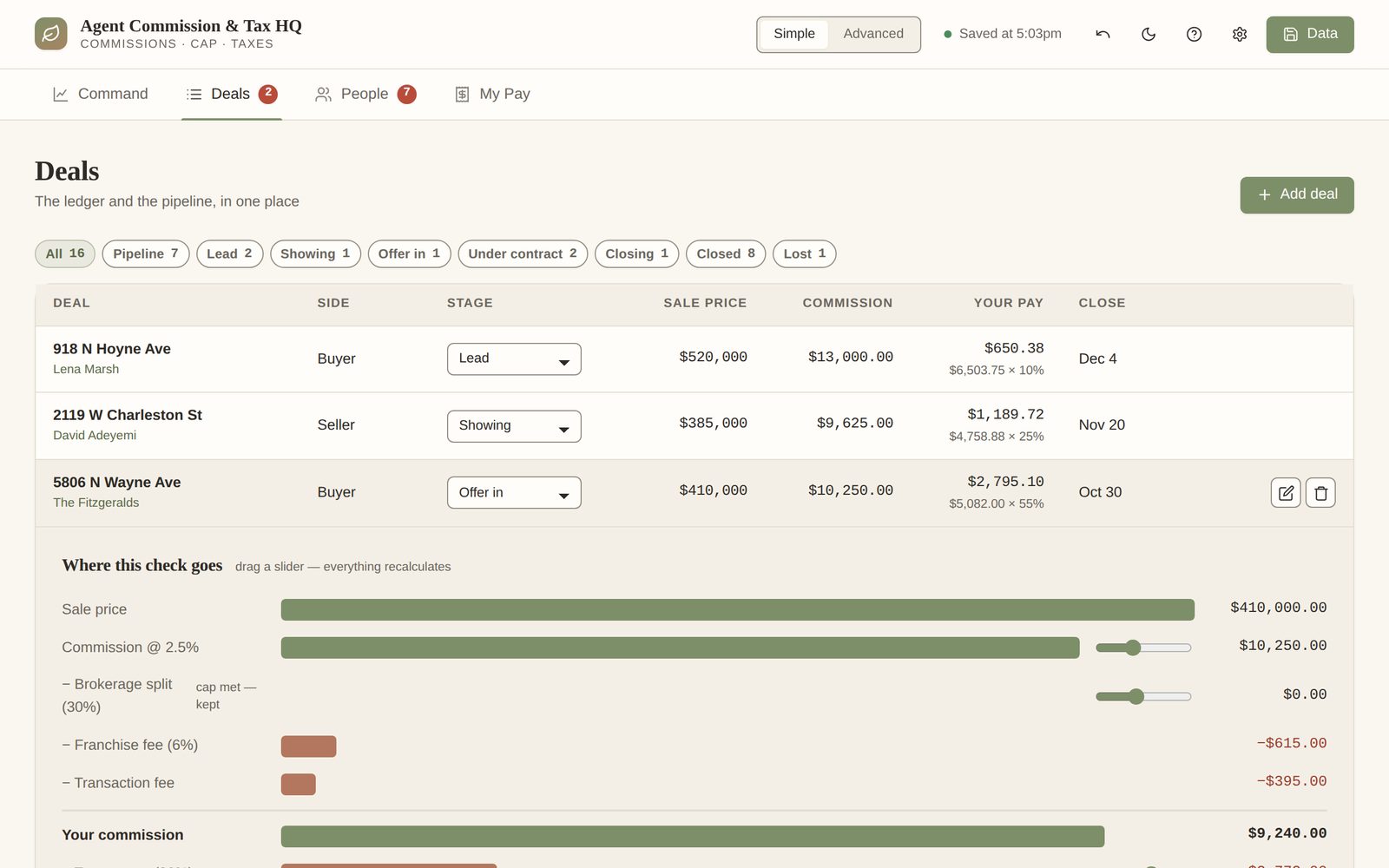
Split with a cap
The cap fills in closing order and the file tells you the exact deal it's met on — then keeps 100% for you after.
100% plus desk fee
Desk and franchise fees feed straight into your deductions instead of living in a separate spreadsheet.
Referrals in and out
Referral fees paid and received sit in the waterfall where they belong, not as a note in the margin.
Mileage and expenses
Dated mileage rates, twelve expense categories, meals at 50% — grouped the way Schedule C wants them.
People and follow-ups
Your pipeline, past clients and sphere, with who's overdue for a call — so the commissions keep coming.
A report for your CPA
Closed-deal ledger with the full split, expenses by category, mileage by rate period, quarterly payments. Print it in April.
No surprises
Straight about what it isn't
Cheaper to say now than to explain later.
- —It isn't tax advice and it isn't a tax return. The figures are estimates from the numbers you enter, using rates you can see and change. Check it with your accountant before you rely on it.
- —It doesn't connect to your bank or your brokerage's software. You enter deals and expenses yourself — it takes a minute per closing.
- —There's no login and no account. Your data lives on your own device, with a one-button backup file. It's not synced between devices.
- —It's one licence for one agent. If you're a team, email me — that's a different build.
One price, once
Get Agent Commission & Tax HQ
The subscription tools that do this charge around $39 a month, every month. This is $149 once — it pays for itself before spring, and your rates stay current without a renewal.
- Pay securely through Stripe. Your receipt arrives by email.
- Within one business day I email you your own private link on dashfern.com — nothing to install.
- Open it on your phone or laptop, load the example to see it filled in, then enter your own year.
$149one-time · no subscription
Hosted at your private link · annual rate updates included · reply-to-me support
Buy now — $149$149 once, no renewal. Not what the page says it is? Email me within 14 days for a full refund. Card, Apple Pay or Google Pay via Stripe. Not sure it fits? Try the live demo or email me first.
Also from Dashfern